
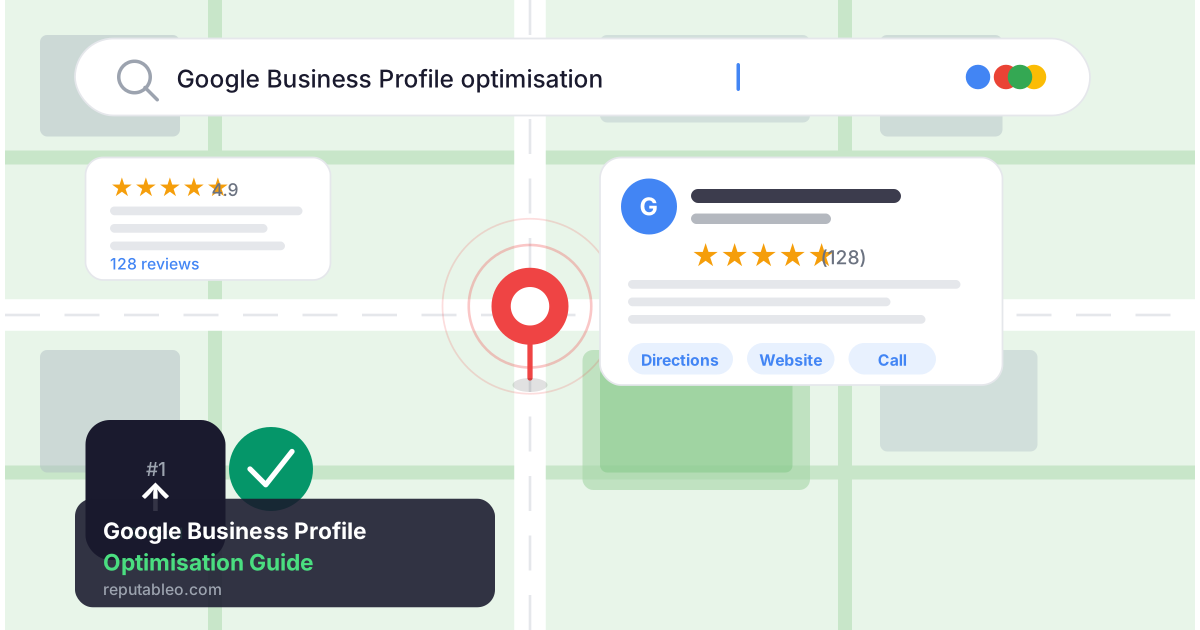
Did you know that optimizing your Google Business Profile can increase calls by up to 140% without requiring you to spend a dime on ads?
If you’ve ever searched for a lawyer, doctor, or consultant near you and clicked on one of the results that appeared in that map box at the top of Google, you’ve already seen Google Business Profile in action. But don’t assume that businesses appearing in those top three spots got there by accident. It’s because someone took the time to set up, optimise, and actively manage their Google Business Profile.
If your business doesn’t appear there, you’re certainly losing clients to the ones that do, but you may not realize it. In this guide, I cover everything you should know about Google Business Profile optimisation. In the end, you’ll understand not just the basics of getting set up; you’ll also understand the advanced strategies that determine where you rank in competitive markets.
What Is Google Business Profile and Why Does It Matter?
Google Business Profile (formerly Google My Business) is a free tool that allows businesses and professionals to manage how they appear on Google Search and Google Maps. When someone searches for your name, your profession, or your services in a specific location, your profile is what determines whether you appear and how prominently.
Whether you’re a local business or independent professional, a well-optimised Google Business Profile is often the single highest-return digital marketing asset you can have. It costs nothing to set up, sits prominently above regular search results, and directly influences whether a potential client calls you, visits your website, or walks through your door.
Sadly, many professionals neglect their Google Business Profile, which seriously hurts their online presence. Now that you understand the importance of Google Business Profile, let’s see how you can optimize it in 7 simple steps.
Step 1 — Claim and Verify Your Profile
Before anything else, you need to claim your profile. Go to business.google.com, search for your business name, and either claim an existing listing or create a new one. Google will verify your ownership, usually via a postcard, phone call, or email.
You can ignore this step. You don’t want anyone to edit your unclaimed profile. The profile may even contain outdated information that signals to Google that your business is inactive. Claiming and verifying your profile is the foundation upon which everything else is built.
Step 2 — Complete Every Field Without Exception
Google rewards completeness. Profiles that fill out every available field consistently outperform incomplete ones in local search rankings. This means you should complete:
- Business name: Use your exact legal or trading name. Don’t stuff keywords into your business name. Google penalises this, and it erodes trust with potential clients.
- Category: Choose your primary category carefully, as it’s a critical ranking factor in local SEO. After selecting the most specific category that accurately describes your business, you can then add secondary categories where relevant.
- Address and service area: If you serve clients at a physical location, add your address. If you work remotely or visit clients, set a service area instead. For multi-location businesses, create and optimise a separate profile for each location.
- Phone number and website: Use a local phone number where possible. Ensure your website URL is correct and links to a relevant landing page, not just your homepage.
- Business hours: Ensure this information is accurate, and be clear about your availability on public holidays. Nothing frustrates a potential client more than showing up to a closed business that Google told them was open.
- Business description: You have 750 characters. Use them wisely. Write for the human reader first, but naturally incorporate your key services and location. This isn’t the place for keyword stuffing; it’s the place to clearly communicate what you do and why clients should choose you.
Step 3 — Build and Manage Your Reviews Strategically
Reviews are the single most visible trust signal on your Google Business Profile. Studies show that at least 70% of consumers demand four or more reviews before trusting your business.
Additionally, reviews are one of the most powerful local SEO ranking factors. Businesses with higher review volumes and better average ratings consistently outrank competitors with fewer or lower-rated reviews.
Now you’re probably wondering, “How do I encourage 5-star reviews?”
The best review strategy is a proactive one. Ask satisfied clients to leave a review shortly after a positive interaction, while the experience is still fresh. Make it easy by sending them a direct link to your review page.
Respond to every review, positive or negative. Thank clients who leave positive reviews personally and specifically. Don’t use a generic copy-paste response, please.
Respond to negative reviews calmly, professionally, and constructively. Keep in mind that your response is visible to every future client who reads that review. And how you handle criticism says more about your professionalism than the criticism itself.
Step 4 — Use Posts to Stay Active and Visible
Google Business Profile allows you to publish posts, including updates, offers, events, and announcements. These appear directly on your profile in search results. Most businesses and professionals never use this feature, so you stand out immediately if you do.
Publish at least one post per week. Share a recent article, a client success story, a service update, or a useful tip relevant to your field. Each post offers these 3 key benefits:
- Keeps your profile active
- Signals to Google that your business is current and active
- Gives potential clients a reason to engage before they even visit your website
Step 5 — Optimise Your Photos
Profiles with photos receive significantly more clicks, calls, and direction requests than those without. Upload a professional headshot or team photo, your logo, your office or workspace if relevant, and images that represent your services or client outcomes.
Update your photos regularly. Google prioritises active profiles, and fresh imagery signals ongoing engagement.
Step 6 — Manage Citations Consistently
A citation is any online mention of your business name, address, and phone number. This can be on directories, review sites, legal databases, medical listings, or professional associations. Consistent citations across the web reinforce your location and legitimacy to Google, and inconsistencies can actively harm your local search rankings.
Audit your citations regularly. Ensure your name, address, and phone number are identical everywhere they appear online. Don’t ignore even minor variations like “St” versus “Street”, which can create inconsistent signals that suppress your rankings.
Step 7 — Understand GBP Ranking Factors in Competitive Markets
In competitive local markets, especially in the US, where multiple businesses in the same profession compete for the same search terms in the same city, your Google Business Profile ranking depends largely on three factors:
- Relevance: How closely does your profile match what the searcher is looking for? This depends on your category selection, business description, and the keywords naturally present in your reviews and posts.
- Distance: How close is your business to the searcher or the location they specified? While this is partly outside your control, your service area settings and the consistency of your address across citations play a role.
- Prominence: How well-known and trusted does your business appear to Google? This is driven by review volume and rating, citation consistency, website authority, and the overall completeness and activity of your profile.
Understanding these three factors helps you prioritise where to invest your optimisation effort. It’s especially true when competing against established businesses with a head start in reviews or citations.
The Bottom Line
A fully optimised Google Business Profile is not a one-time task. It is an ongoing asset that rewards consistent attention with consistent visibility. For professionals and local businesses in competitive markets, it is often the difference between being found and being invisible.
Not sure how your profile currently performs, or whether you even have one? The best place to start is a simple audit of what Google currently shows when someone searches your name.
At Reputableo, Google Business Profile optimisation is one of our core services. If you’d like a free audit of your current profile and local search presence, visit reputableo.com/contact.